

Faculty and staff around the world already use ChatGPT to brainstorm, draft, analyze, and solve problems. ChatGPT Work, powered by our latest frontier model, GPT-5.6, extends those familiar workflows into projects that involve multiple steps, sources, tools, and deliverables.
Give ChatGPT Work a goal, and it can propose a plan, gather context from the sources available to it, carry out a sequence of steps, create connected outputs, and pause when it needs guidance or approval. You can follow its progress, answer questions, redirect the work, and review the results before they are used or shared.
From a prompt to a completed workflow
Chat GPT Work is designed for tasks that unfold over time. A typical workflow may look like this:
Define your goal. Describe the outcome, audience, constraints, and materials that ChatGPT Work should use.
Review the plan. ChatGPT Work breaks the project into steps, identifies missing context, and asks questions before proceeding.
Let the work progress. ChatGPT Work uses the files, web context, and connected tools available in that environment to complete the approved steps.
Stay involved. You can answer questions, redirect the task, review sources, and approve important actions along the way.
Review outputs. ChatGPT Work returns the connected outputs, open questions, and decisions that still require a person.
How Chat, Work, and Codex fit together
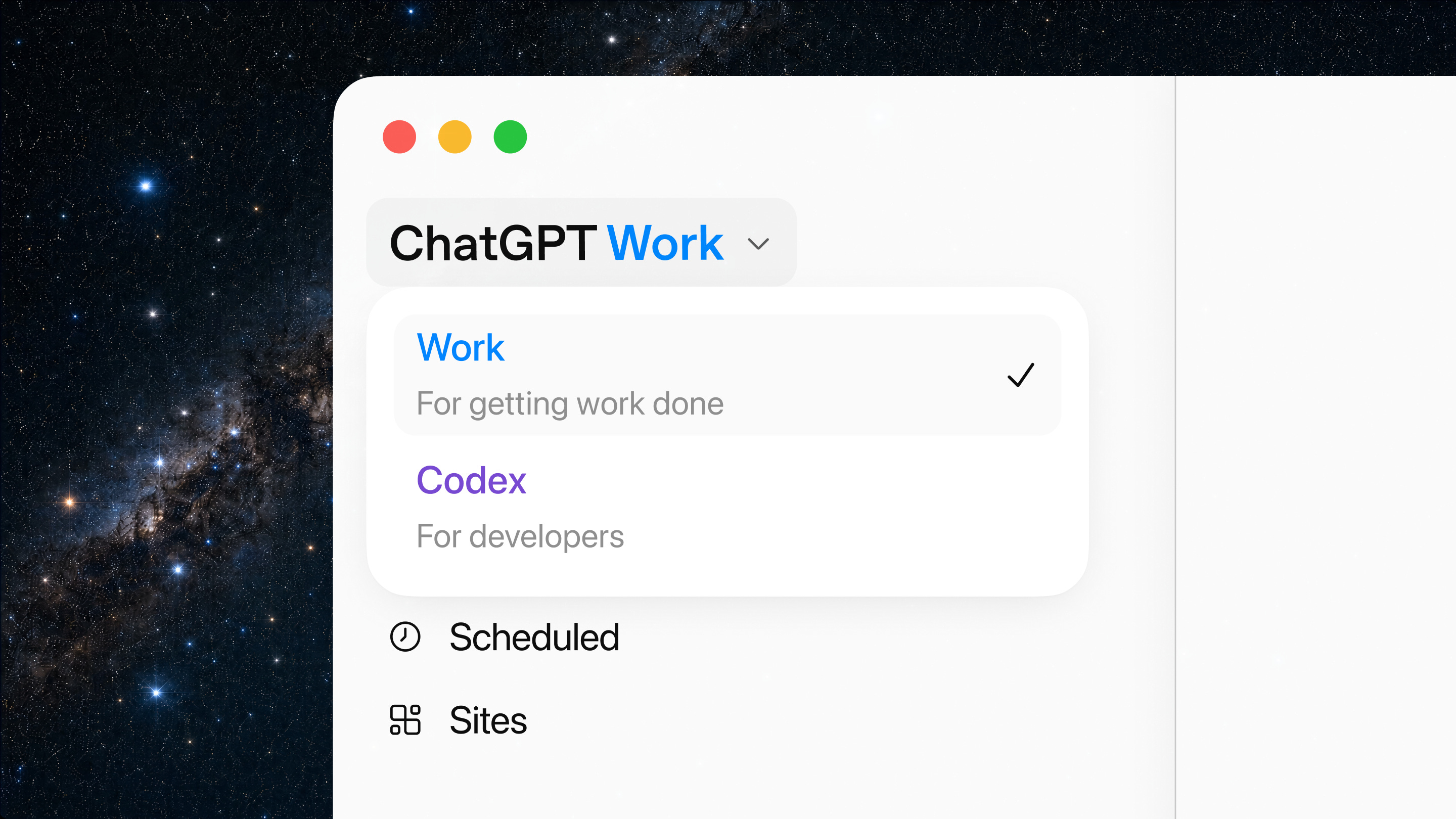
The updated ChatGPT experience brings Chat, Work, and Codex into one place. Each supports a different kind of task.
Chat
Best for: Immediate conversation, reasoning, analysis, and creation.
What that looks like: Ask a question, analyze a file, draft content, explore an idea, or work iteratively with ChatGPT.
Work
Best for: Longer, multi-step projects that draw on multiple sources or tools.
What that looks like: Set a goal, review a plan, follow progress, approve key actions, and receive a coordinated set of outputs.
Codex
Best for: Coding and software engineering work.
What that looks like: Work directly with code, repositories, development environments, and technical implementation tasks.
Most teachers, faculty, and staff should start with ChatGPT Work when they need help with a longer or more complex task. Work can bring together files, research, and connected tools to complete a coordinated set of steps. Technology teams and advanced builders should use Codex for tasks that involve code, repositories, or software development.
The tools available in ChatGPT Work depend on how you access it. On the web, ChatGPT Work can use uploaded files, web information, and connected tools approved by your institution. In the desktop app, it may also work with approved files, applications, browsers, and tools on your computer.
Start with work you already know
Choose a first task that you understand well enough to evaluate. Define the goal, provide the relevant context, describe the expected outputs, and identify where ChatGPT Work should pause for review, decisions, or approval.
For education, ChatGPT Work can help you:
Refresh a course or learning experience. Provide the current course materials and the learning goals they are intended to support. ChatGPT Work can compare the materials with accessibility guidance and aggregated learner feedback, then identify content that may be outdated, inconsistent, or misaligned. After you approve a revision plan, it can draft the updates and track any decisions that still require faculty judgment. The final outputs might include an updated syllabus, revised assignments, and a summary of what changed.
Prepare a program review or accreditation packet. Provide the review requirements and the evidence your team has already collected. ChatGPT Work can organize the evidence against each requirement, identify gaps, and flag areas that need follow-up. It can also help assign owners, track outstanding items, and assemble a draft packet. Program leaders can then review the supporting evidence and approve the final version.
Build a source-backed research or planning brief. Start with the question you need to answer, then add your existing notes and approved sources. ChatGPT Work can compare the evidence, highlight areas where sources disagree, and draft a brief with citations. It can also track unresolved questions so the team knows where additional research or judgment is needed. This can support curriculum planning, grant development, or leadership decisions that require a clear view of the available evidence.
Coordinate operational work across teams. ChatGPT Work can bring together information from project systems, policies, and team notes. It can clarify who owns each next step, draft project updates, and keep the implementation plan current. Project leads gain a clearer view of what has changed, what is blocked, and which decisions still require approval.
Where ChatGPT Work can help across an institution


Faculty. Help faculty update course materials while keeping learning goals and evaluation criteria in view.
Academic operations. Keep program reviews and accreditation work moving by tracking evidence, open questions, and follow-ups.
Technology teams. Pull together ticket history and system context, then draft a response or implementation plan for review.
Finance and administration. Explain what changed in a budget or report and prepare the materials needed for the next review.
Enrollment and marketing. Turn program information and audience feedback into a campaign brief, then adapt the materials for different audiences.
Institutional research and analytics. Place approved data in context, explain the changes that matter, and prepare materials that support a decision.
Keep recurring work moving with Scheduled Tasks
Scheduled Tasks can run recurring work at the times you choose. A task can review new information, update an existing output, and surface the changes that need attention. For example, Work can:
Review new messages from approved channels each week and refresh a meeting agenda.
Check an approved dashboard each morning and summarize what changed, including the underlying source or calculation used.
Review questions from an institution-approved course Q&A channel and summarize recurring themes for the instructor before class.
Refresh a project tracker each Friday, flag overdue items, and prepare a status update for the project lead to review.
Bring context together through connected tools
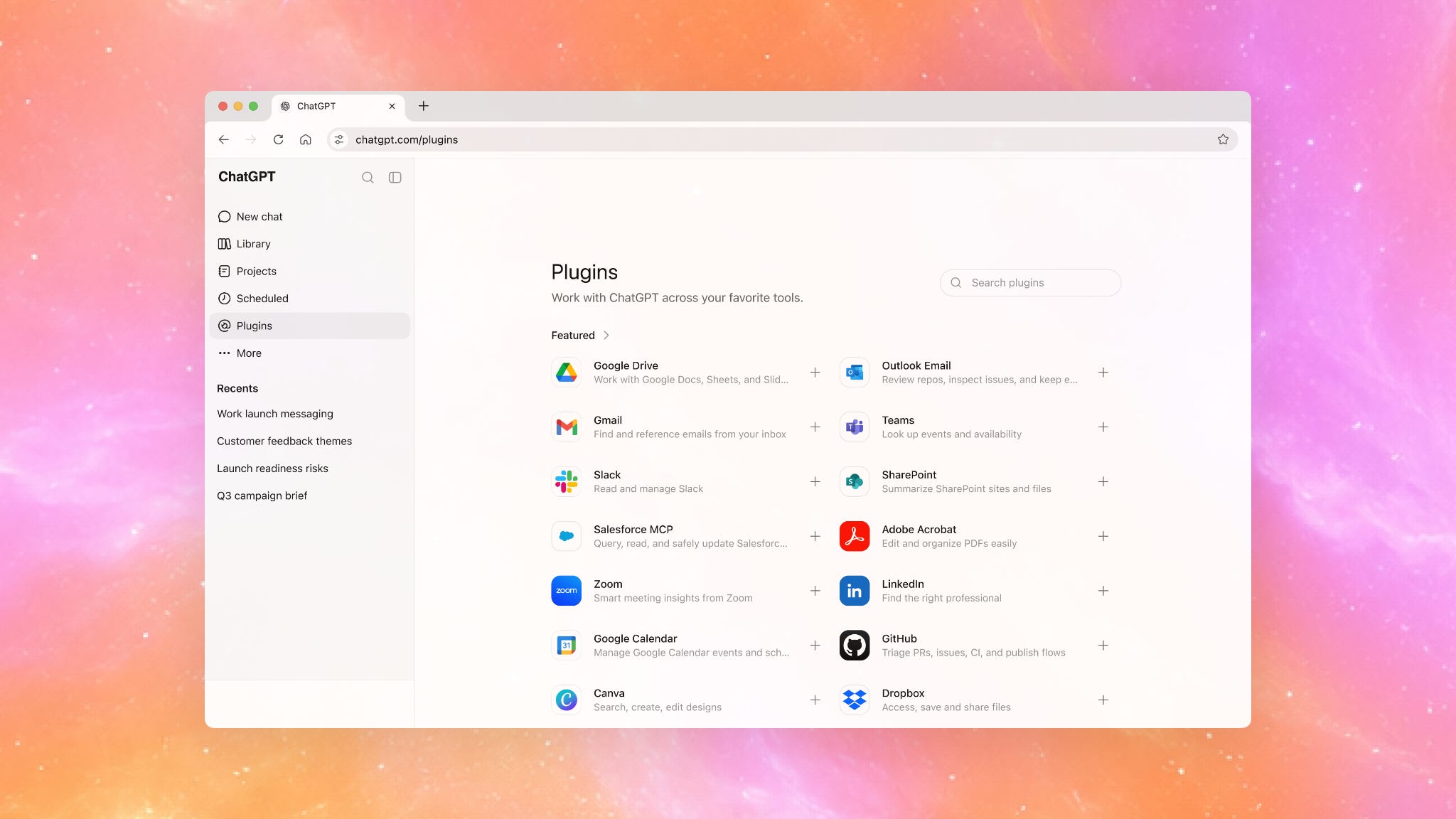
Where supported and enabled by an institution, connected tools can help Work bring relevant context together across systems such as Google Drive, Microsoft 365, Slack, Teams, email, calendars, LMSs, and project trackers. Work can use that context to create and refine documents, presentations, analyses, trackers, and Sites.
Admin Controls
You remain involved throughout the project. You can inspect the plan, see which sources and tools are being used, answer questions, redirect the work, and approve important actions before they happen.
For ChatGPT Edu and ChatGPT for Teachers, workspace admins can determine who has access and what information ChatGPT Work can use. They can also control which tools are available and place additional restrictions on certain actions. On the web, these settings govern connected tools, browser use, cloud network access, and sensitive actions. In the desktop app, the same governance model also applies to approved local files and applications.
Turn your results into a shareable Site
Sites, now in public beta, lets you turn the result of a ChatGPT Work project into an interactive site or web app. A Site might be a course resource hub, an internal project tracker, or a dashboard. You can test it inside ChatGPT and share it with a team. Depending on institutional policy, you can also publish it with a URL. When the source material changes, you can ask Work to refresh the Site.
For example, a program review could end with a source-backed briefing document and an internal Site. The site could display organized evidence, show who owns each open question, and keep upcoming deadlines visible.
Availability
ChatGPT Work is available to all plans on macOS desktop today, and rolling out to Windows desktop, and Plus, Pro, Business, Enterprise, and Edu on web and mobile over the next few days. The updated ChatGPT desktop app brings Chat, Work, and Codex together on Mac and Windows. Capabilities, supported integrations, and controls may vary by plan, platform, and administrator configuration.
For current product details, availability, pricing, supported integrations, and security controls, see the main ChatGPT Work announcement.
What's interesting isn't that AI can now complete more work.
It's that the value of human work shifts even further toward judgment.
As AI takes on execution, our contribution increasingly becomes defining the problem, evaluating the outcome, and knowing when the system is wrong.
In education, that makes assessment even more important. If AI can help produce the work, we need better ways to reveal the thinking that produced it. That's the part that remains uniquely valuable.
It took me a minute to adjust to the new setup, but now I see that it is superior to the prior split of GPT and Codex.