
This article provides an overview of what workspace agents are and how they can support useful, repeatable workflows in education settings. For detailed guidance on how to set up workspace agents, please review this Help Center article.
Colleges and universities run on work that repeats across departments, terms, programs, and academic years.
Workspace Agents in ChatGPT are designed for that kind of structured, repeatable work. They help higher education teams turn a familiar process into a reusable workflow, so people do not have to start from scratch each time.
Workspace Agents are available in research preview for eligible ChatGPT Edu workspaces. They are off by default, and workspace admins can manage access and permissions.
What is a Workspace Agent?
A Workspace Agent is a reusable workflow in ChatGPT that can be given a clear job, a set of instructions, and access to approved tools or files. It can follow steps, gather context, draft outputs, and, when allowed, help move work forward across connected apps.
A simple way to think about an agent is:
A trigger: what starts the work, such as a manual request, a new form submission, or a scheduled run.
A process: the steps the agent should follow.
Tools and context: the approved files, apps, or systems it can use.
Guardrails: what it should check, when it should pause, and when it should ask for human approval.
Agents are best suited for workflows that are repeatable, structured, and easy for a person to review. For one-time writing help, exploratory questions, or open-ended brainstorming, regular ChatGPT is often the better place to start.
How agents differ from regular ChatGPT
Many people use ChatGPT for one task at a time: summarize this document, draft this email, explain this policy, or help brainstorm ideas.
Agents are different because they are built for workflows that happen more than once. A team can define the process once, test it, improve it, and share it with others in the workspace.
For example, regular ChatGPT might help a staff member summarize one meeting note. An agent could support a recurring workflow that gathers weekly inputs, drafts a standard update, flags missing information, and prepares a version for review.
The person or team still stays in control. Agents should be reviewed, corrected, and guided, especially before anything is shared, sent, or used for a decision.
Ways higher education teams might use agents
In colleges and universities, agents may be especially useful for workflows that span departments, shared documents, communication channels, and recurring deadlines.
Course change request agent
A registrar or academic affairs team could use an agent to help triage course change requests from departments.
The agent could review submitted forms, check whether required fields are complete, compare the request against approved catalog guidelines, flag missing approvals, draft next steps for the department, and route the request to the right reviewer.
For example, if a department submits a request to add a new course or update prerequisites, the agent could organize the request, identify missing information, and prepare a clean review packet for the curriculum committee.
This helps academic operations teams move requests forward with clearer handoffs and fewer manual follow-ups.
Faculty AI support intake agent
A center for teaching and learning could use an agent to help manage faculty requests for AI support, instructional design help, or course redesign consultations.
The agent could review intake submissions, identify the type of support needed, draft a short summary for the support team, suggest relevant resources, and prepare a first response for staff review.
For example, if a faculty member asks for help redesigning an assignment with AI, the agent could gather the course context, identify whether the request is about assessment, academic integrity, accessibility, or student engagement, and prepare a clear handoff to the right instructional support lead.
This helps teaching and learning teams support more faculty while keeping the work thoughtful and personalized.
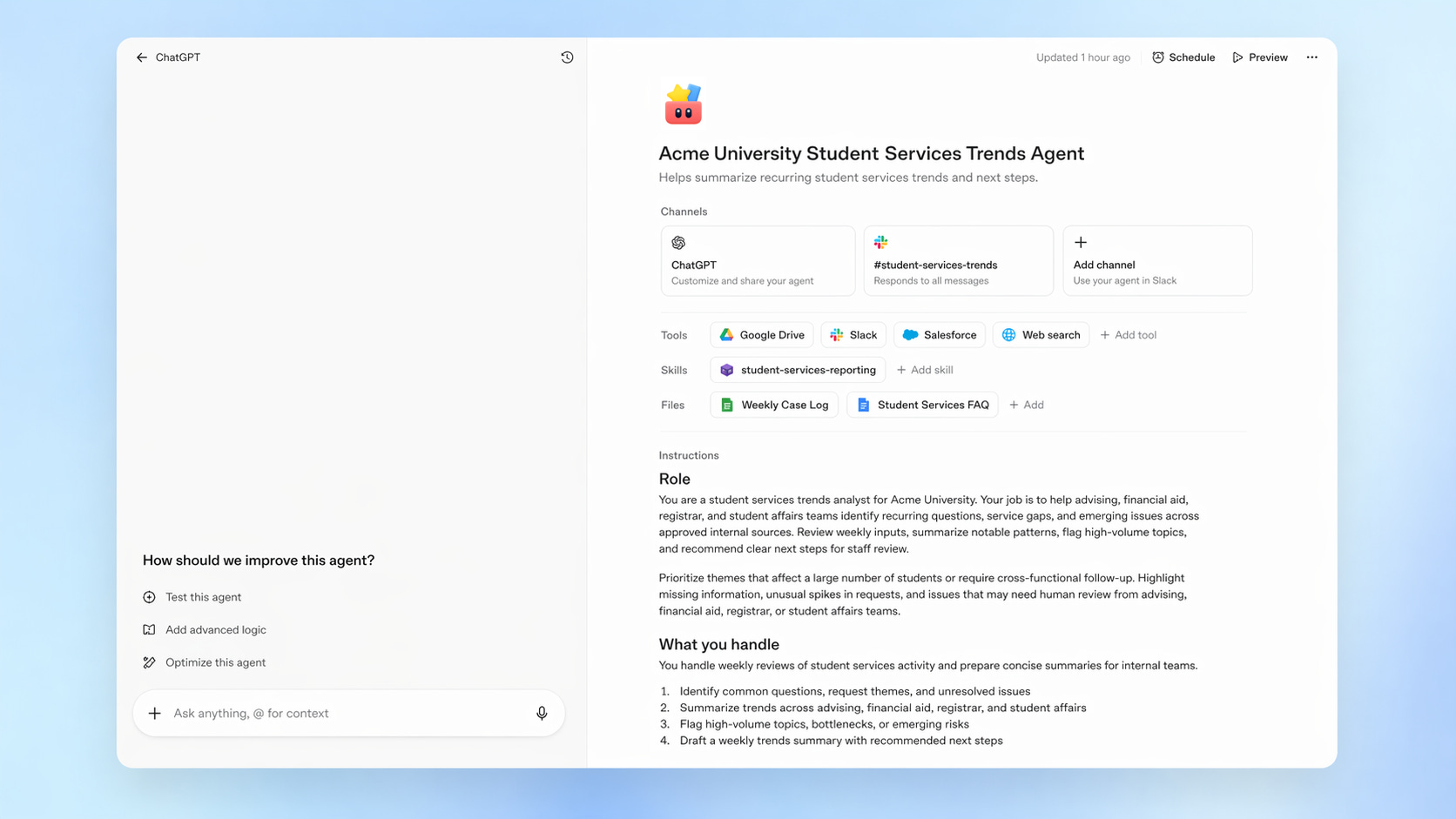
Weekly student services trends agent
A student affairs, advising, financial aid, or registrar team could use an agent to summarize patterns from approved internal sources each week.
The agent could pull together common questions, recurring blockers, high-volume request areas, and unresolved issues. It could then draft a weekly summary for leadership with recommended follow-ups.
For example, the agent might surface that many students are asking about add/drop deadlines, financial aid verification, transcript processing delays, or advising availability. It could prepare a concise update for the team to review before sharing.
This helps student services teams see patterns earlier and respond with more coordinated support.
Grant readiness agent
A research administration team could use an agent to support early-stage grant preparation.
The agent could review a funding opportunity, extract key requirements, create a checklist of required documents, flag eligibility criteria, summarize deadlines, and draft an internal planning brief for the principal investigator and research support staff.
For example, when a faculty member is considering a new grant opportunity, the agent could prepare a structured summary that includes submission requirements, cost-share considerations, required attachments, internal routing steps, and key dates.
This helps research teams move faster while keeping final review, compliance, and submission decisions with the appropriate human experts.
Campus communications agent
A communications, IT, or change management team could use an agent to help prepare recurring campus updates about major technology rollouts, policy changes, or new resources.
The agent could gather approved source materials, draft versions for different audiences, and prepare an FAQ for review.
For example, during a ChatGPT Edu rollout, the agent could draft a faculty announcement, a student-facing FAQ, a staff enablement note, a department chair update, and a short leadership summary based on the same approved guidance.
This helps campus teams communicate consistently while still tailoring messages to each audience.
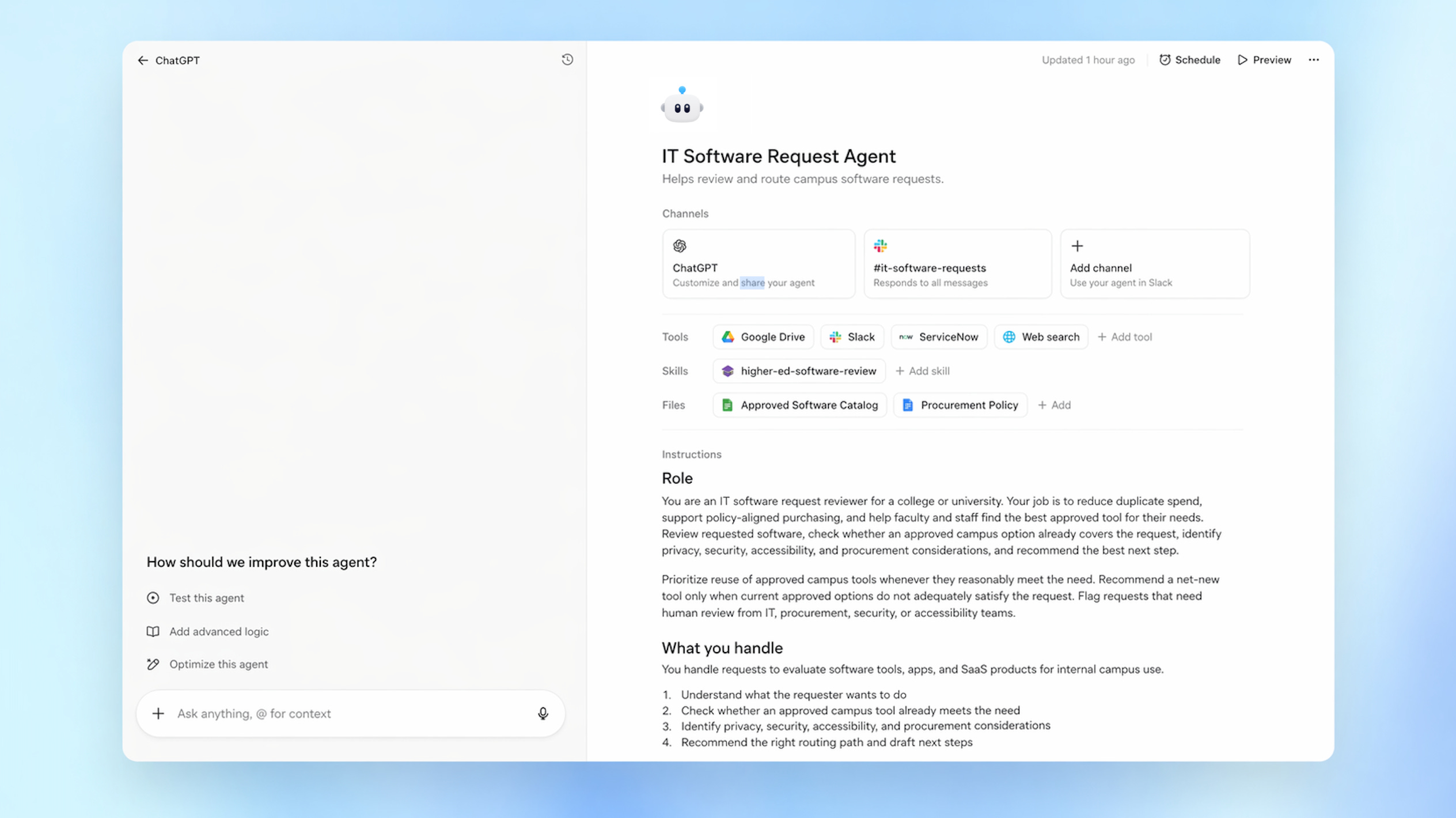
IT software request agent
A campus IT team could use an agent to triage software requests from faculty and staff.
The agent could review the request, check whether the tool is already approved, identify data privacy or accessibility considerations, route the request to the right approval path, and draft next steps for the requester.
For example, if a faculty member requests a new classroom tool, the agent could check whether the software is already licensed, whether it requires student data, whether accessibility review is needed, and which internal team should review it next.
This helps IT teams manage demand while making the process clearer for the person requesting support.
Program review preparation agent
An academic department could use an agent to help prepare recurring program review materials.
The agent could gather approved inputs, such as course lists, enrollment summaries, assessment notes, advising feedback, and prior action items. It could then draft a structured packet for department leaders to review.
The agent could also flag missing materials, inconsistent formatting, or areas where the department needs to add human judgment before the report is finalized.
This helps academic leaders spend more time on interpretation and planning, and less time rebuilding the same packet from scratch.
Faculty onboarding agent
A department, school, or faculty affairs team could use an agent to help onboard new faculty.
The agent could assemble role-specific resources, draft a department-specific welcome guide, prepare a checklist of required steps, and route questions to the right office.
For example, a new adjunct faculty member might need LMS access, syllabus templates, academic policy links, office hour guidance, AI use policy guidance, and department contacts. The agent could prepare a personalized onboarding packet for staff review.
This helps departments give new faculty a more organized and consistent start.
Accreditation evidence collection agent
An accreditation, assessment, or institutional effectiveness team could use an agent to organize recurring evidence collection.
The agent could gather approved source materials, map files to standards, flag missing evidence, draft summaries, and prepare reviewer notes.
For example, during an accreditation cycle, the agent could help organize documentation for learning outcomes, assessment practices, faculty qualifications, student support services, and continuous improvement efforts.
This helps teams manage complex, multi-source documentation while keeping final interpretation and submission in human hands.
Choosing a good first workflow
The best first agent is usually a workflow your team already understands.
Look for work that has a clear start, a clear set of steps, and a clear human reviewer. Good first workflows often include:
Recurring updates or reports
Intake forms or request routing
Meeting preparation
Resource organization
Draft communications
Internal handoffs
Checklists and status summaries
Review packets
Evidence collection
A strong first agent should save time, reduce repetitive work, and make the process easier to follow.
For higher education teams, a good place to start might be a weekly student services summary, a faculty support intake process, a course change review workflow, or a recurring campus communications workflow.
Using agents responsibly
Start with low-risk workflows. Choose tasks where the output is easy to review, the process is already understood, and mistakes can be caught before anything is shared or acted on.
Keep humans in the loop. Agents can support work, but people should review outputs, check context, and approve sensitive actions.
Review before sharing. Drafts, summaries, emails, documents, and recommendations should be checked by the right person before they are sent, published, or used in decision-making.
Be thoughtful about permissions. Give agents access only to the tools, files, and actions they need. Admins should consider role-based access, approval steps, and data boundaries before enabling broader use.
Align with institutional policies. Colleges and universities should use agents in ways that fit their existing policies for privacy, security, records, communications, accessibility, academic integrity, and responsible AI use.
Test before scaling. Try agents with realistic examples, review their outputs, refine the instructions, and gather feedback before sharing them widely.
Learn how to build agents
OpenAI is hosting an upcoming build hour on April 28, 2026 for teams that want to learn how to build Workspace Agents.
Register here: https://webinar.openai.com/buildhours/workspaceagents
Getting started during the research preview
Workspace Agents are an early opportunity for higher education teams to explore how AI can support shared, repeatable work.
Start with one workflow that happens often. Define the steps. Decide what the agent can access. Add clear review points. Test it with realistic examples. Then refine before sharing it more broadly.
The strongest agents usually begin with familiar work: the weekly update, the intake queue, the staff meeting agenda, the training follow-up, the request review, the grant checklist, or the rollout tracker.
Start small, learn from real use, and expand thoughtfully as your campus understands where agents can be most useful.
I support this project I would like to the knowledge how to successfully build a agency like this
I'm CTO at a top business school, with the 4th Management Master and the 6th Finance Master in the World (FT).
We already have some platforms available for our community.
What is the offer that OpenAI has to HigherEd Universities?