

Issue 3: July 17, 2026
Welcome back to The Edu Prompt, a field guide for learning, teaching, and building with AI from OpenAI Education.
This week brings new launches, practical workflows, and field notes from education teams around the world.
In This Issue
Feature: ChatGPT Work and what it could mean for education teams.
Product Corner: Sites for turning ideas into simple, shareable pages. Also worth noting from last week: GPT-5.6 and GPT-Live.
Try this with ChatGPT: Make a scene.
Try this with ChatGPT Work: Calibrate an assessment.
Pro-tip: Build a skill.
Around the World: OpenAI Education for Countries meets leaders in Italy.
Learning with OpenAI: New hands-on Skill Labs.

Feature Story: Introducing ChatGPT Work
Faculty and staff around the world already use ChatGPT to brainstorm, draft, analyze, and solve problems. ChatGPT Work, powered by our latest frontier model, GPT-5.6, extends those familiar workflows into projects that involve multiple steps, sources, tools, and deliverables.
AI is becoming less about one-off answers and more about helping people organize, draft, analyze, and reuse work across the flow of a day. For educators, staff, and leaders, that matters because the bottleneck is rarely a lack of ideas. It is turning those ideas into something usable: a lesson plan, a family message, a grant outline, a meeting brief, a rubric, a project plan, or a first draft that can be improved.
ChatGPT Work is designed for tasks that need context, tools, and follow-through.

Product Corner: Build a webpage with Sites
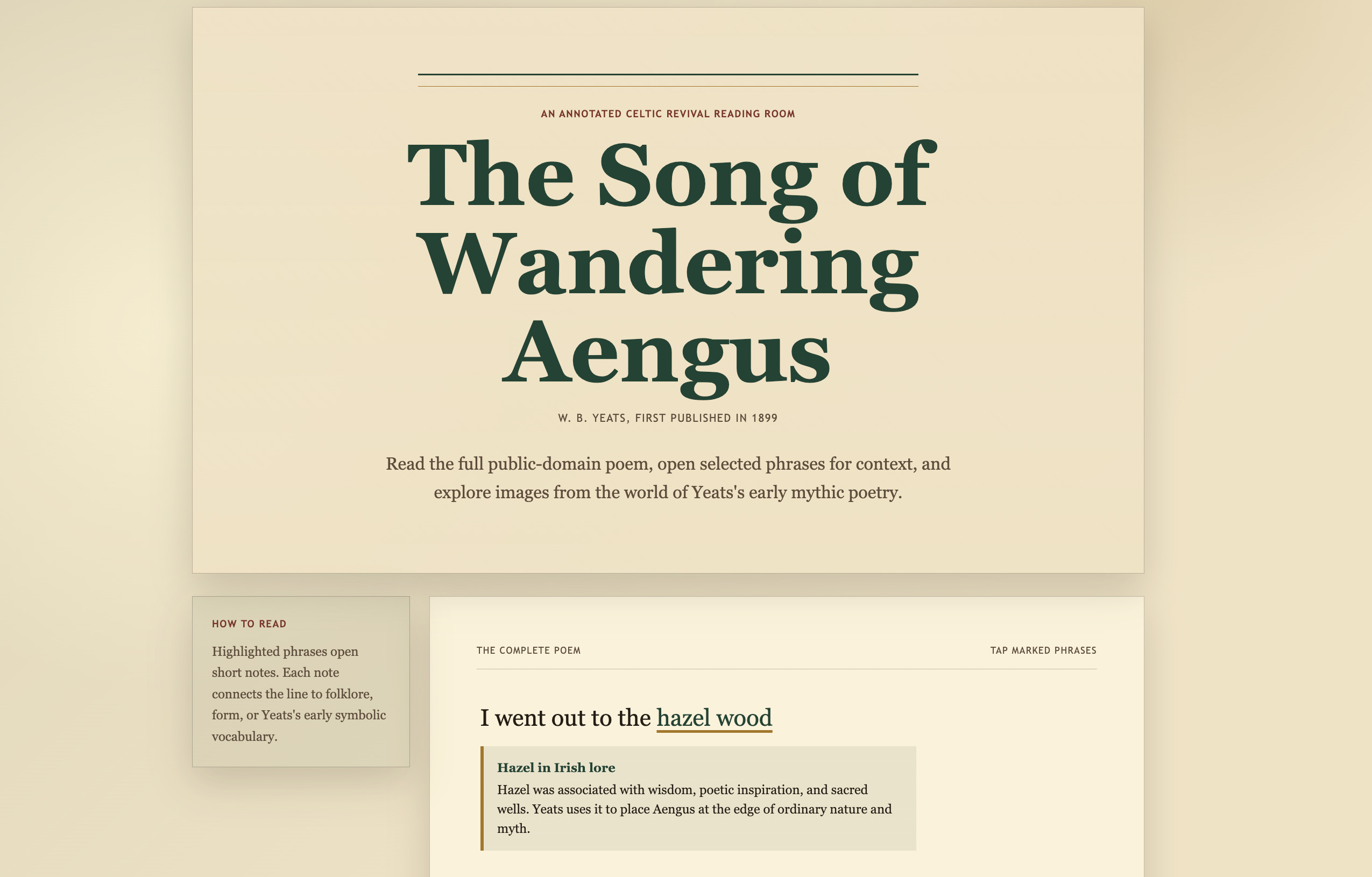
With ChatGPT Work, Codex, and Sites, you can move from a rough idea to a lightweight webpage that is easy to share. For education teams, that can mean a resource hub, project tracker, event page, course companion, or internal guide without starting from a blank page.
Example
Create an experience focused on W. B. Yeats’s poem “The Song of Wandering Aengus.”
Include the full public-domain poem, a brief Yeats biography, historically appropriate
images, and interactive annotations on selected lines and phrases.
Style it with an early-20th-century Arts and Crafts / Celtic Revival look,
using aged paper textures, restrained ornament, period typography, and accessible contrast.
Build the site directly in @sites and return an editable result.
Try this with ChatGPT
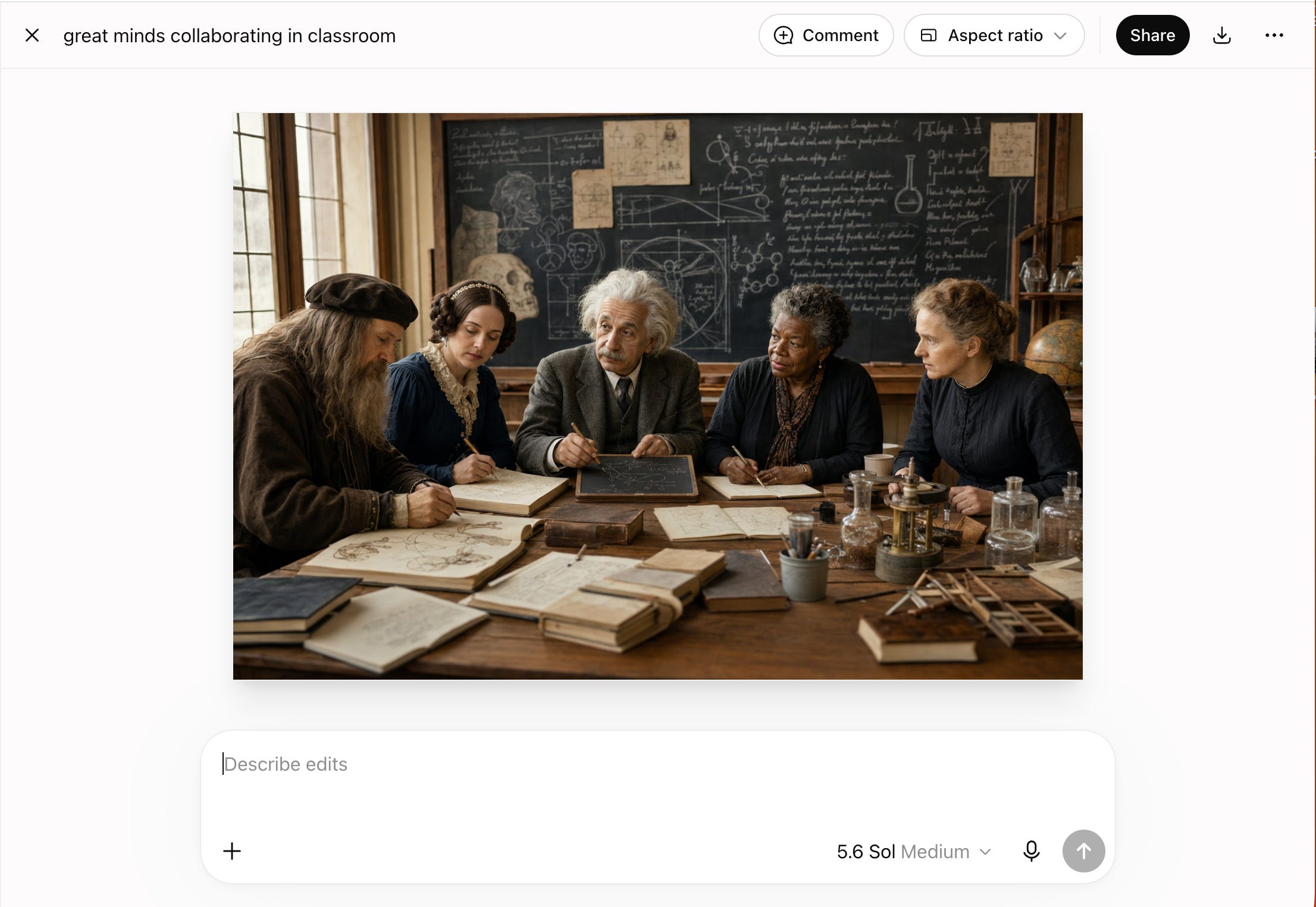
Create a time-travel classroom: Use ChatGPT to generate images that help students bring ideas, people, and concepts together. Use this as a discussion starter, not a historical source.
Create a realistic classroom where Leonardo da Vinci, Ada Lovelace,
Albert Einstein, Maya Angelou, and Marie Curie are all students learning together.
Educational, respectful, historically recognizable.
Fine-tune output: Once you get an image, tap “Edit” and use the comment feature to select areas you’d like to modify.

Try this with ChatGPT Work
Calibrate assessments: Review scoring patterns without assigning or changing grades.
Review the de-identified submissions, rubric, grading export,
sample feedback, course outcomes, and calibration rules I provide.

Create a calibration workbook that:
- flags possible scoring inconsistencies
- summarizes common strengths and gaps
- identifies feedback themes
- suggests rubric clarifications
- cites evidence for every flag

Do not assign or change grades. Route every scoring judgment to faculty review.
Don’t forget to validate the findings: Faculty reviewers should check the source evidence, confirm that comparisons are like-for-like, and look for missing context such as accommodations or assignment variants.
Open the calibration workbook prompt in ChatGPT

Pro-tip: Build a skill for repeated workflows
You can turn a repeated workflow into a reusable Skill that you can invoke later by name. Here’s an example for prioritizing your inbox.
Help me create a reusable skill that reviews recent email and prioritizes what needs my attention.

Before creating it, ask me one question at a time about:
- Which inbox and date range to review
- What counts as actionable or urgent
- People or topics to prioritize
- The output format I want
- What actions the skill may take

Suggest sensible defaults when I’m unsure.
Then summarize the proposed workflow for my approval before creating the reusable skill.
Around the World: Field Notes from Italy
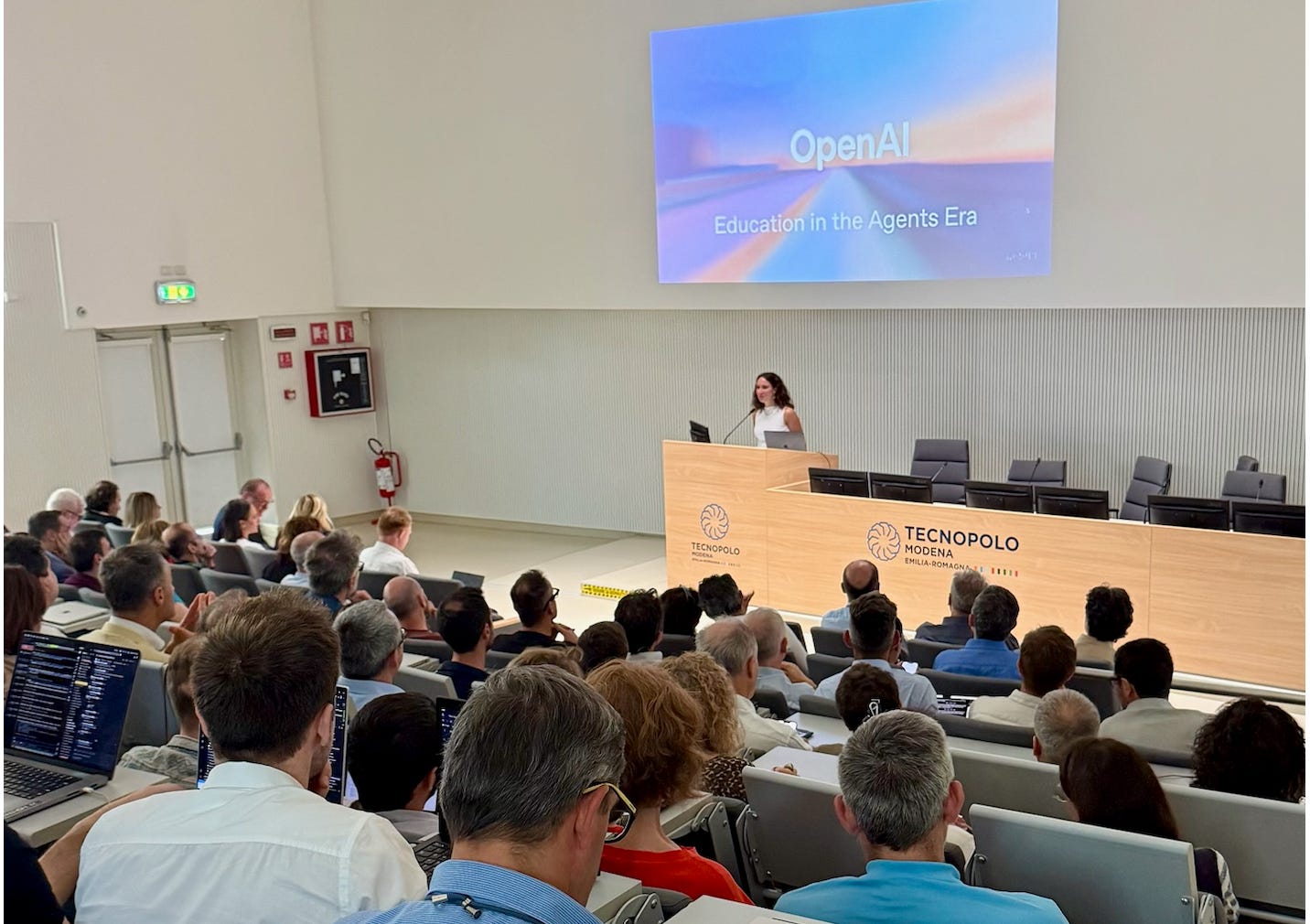
Last week, OpenAI’s Education for Countries team traveled across Italy to learn from and strategize with university leaders, professors, PhD students, and local businesses to imagine and build the future of education with AI.
Each stop—Turin, Modena, and Naples—revealed the unique culture, industry, educational focus, and aspirations of each region. AI is most powerful when it amplifies the experiences, skills, and intentions of people and communities.

Learning with OpenAI: New Skill Labs
Join us in OpenAI Academy’s newest learning series, Skill Labs, where you’ll get hands-on practice with everyday workflows you can use immediately, whether you’re faculty, staff, working in student support, or an administrator.
07.30 Automating workflows
08.06 Analyzing data
08.11 Managing daily work

Have a story idea?
We are looking for practical examples from educators, faculty, staff, students, and education teams using OpenAI tools to save time, improve learning, or build something new. Reply with what you tried, what changed, and what another educator or team could reuse.
Thanks for reading. If this issue gave you something useful to try, share it with an educator, staff member, or team who might use it too.
The assessment calibration example is the part I keep coming back to.
AI doesn’t need to replace the grader to be useful. Even surfacing inconsistent scoring, recurring misconceptions, and unclear rubric language could make assessment much fairer.
The important boundary is exactly the one you’ve kept here: let the system reveal patterns, but keep the final judgment accountable to a human.
That feels like a much healthier direction for educational AI—less “let the model decide,” more “help us see what we were missing.”
リンク先は、2026年7月17日のOpenAI Educationのニュースレターで、中心にあるのは「AIに答えを出させる」段階から、教育現場の仕事の流れそのものをAIと組み直す段階への移行です。ChatGPT Workによる複数工程の実行、Sitesによる成果物の共有、評価のキャリブレーション、反復業務のSkill化などが提示されています。一方、評価例では「AIは採点を変更せず、最終判断は教員へ戻す」と、人間の判断を残す設計も明記されています。
ここで最も面白い問いは、「AIが教師を代替するか」よりも、AIが教師を代替しないように見えるまま、教師とは何かを変えてしまう可能性なのだと思います。
見落としているかもしれない3つの前提
1. 「教育のボトルネックは、アイデアを成果物にすること」という前提
記事では、教育者にはアイデアがないのではなく、それを授業案、ルーブリック、報告書など「使えるもの」にすることがボトルネックだと説明されます。
しかし、本当にそうでしょうか。
教育には、
考えがまとまらない時間、 教師が教材と格闘する時間、 学生の答案を何十枚も読む身体的経験、 失敗した授業を翌週まで抱えている時間、
そのものが教師を形成している可能性があります。
つまり、
成果物を作るための摩擦と、教育者になるための摩擦を、私たちは区別できているか。
2. 「実行をAIに任せても、人間の判断力は残る」という前提
ChatGPT Workは、計画を提示し、人間が途中で確認・方向修正・承認できる設計になっています。
これはかなり慎重な思想です。
けれど、さらに一段掘ると、
判断力とは、「判断だけ」を繰り返すことで維持できる能力なのか。
という問題が出てきます。
答案を書かない編集者は編集できる。 でも、文章を一度も書かなくなっても編集能力は同じなのか。
計算しない人は計算結果を検証できる。 でも、何年も計算しなくても検証能力は維持されるのか。
教育でも、
作る→失敗する→直す
という回路をAIへ渡したあと、
最後にYES/NOを押す人だけが、本当に「判断者」であり続けられるのか。
3. 「AI導入はすべての教育者に同じように作用する」という前提
興味深いことに、記事のコメント欄にはモロッコでの実験例があります。英語だけを前提にできないこと、不安定なインターネット、AI購読料、教師のPC上で動くローカルモデルの限界などが報告されています。実際のシラバスを使うと、想定していなかった誤作動も起きたとされています。
つまり、
「AI教育」の問題ではなく、「どのAIを、誰が、どんなインフラで使えるか」の問題
でもあります。
AIによって教育格差が縮まる可能性と、
AIを監督できる人間・学校・国家だけがさらに強くなる可能性は、
同時に存在します。
4つの立場から問い直す
当事者——教師・職員
「雑務から解放されたい」という願いは、本当に浅い願いでしょうか。
疲弊した教師に、
「摩擦こそ教育なのだから自分でやれ」
と言うこともまた残酷です。
では、
何をAIに渡せば教師が人間らしくなり、何を渡すと教師であることそのものが薄くなるのでしょう。
反対者
AI教育批判はしばしば、
「昔の教育には人間性があった」
という記憶を美化していないでしょうか。
大量採点、画一的教材、官僚的文書作成は、AI以前から存在していました。
ならば問うべきなのは、
AIが教育を非人間化するのか、それとも、すでに非人間化していた教育をAIが可視化しているだけなのか。
未来世代
AIと共同作業することが呼吸のように自然になった世代には、
「自分で全部やる」
という現在の価値観そのものが奇妙に見えるかもしれません。
彼らは、
「なぜ昔の人は検索機があるのに暗記したの?」
と同じように、
「なぜAIがあるのに授業案を一人で作ったの?」
と尋ねるかもしれない。
そのとき、
私たちが守ろうとしていたのは学習だったのか、それとも古い学習儀礼だったのか。
最も弱い立場の人
非英語話者、障害のある学生、不安定な通信環境にいる学生、非常勤教員、小規模校。
彼らにとってAIは、
格差を増幅する装置にも、 初めて専門家に近い支援へアクセスできる装置にもなります。
そこで問いたい。
「人間中心の教育」を守ることが、既存の人間教師から十分な支援を受けられなかった人々にとっても、本当に最善なのでしょうか。
もしこの議論が心地よすぎるなら
特に心地よいのは、
「AIは実行、人間は判断」
という分業です。
とても美しい構図です。
だからこそ疑ってみたい。
盲点1
判断とは、実行から切り離せるのか。
盲点2
効率化によって生まれた時間は、本当に学生との対話へ戻るのか。
歴史的には、効率化はしばしば「余暇」ではなく、
さらに多くの仕事
を生みました。
AIで授業案作成が半分の時間になれば、
授業準備が楽になるのか。
それとも、
「では2倍の授業を担当できますね」
となるのか。
盲点3
AIが教師の仕事を標準化する可能性。
AIが比較しやすいもの、
ルーブリック、数値、学習目標、測定可能な成果、
ばかりが重要になれば、
教室で偶然起きた沈黙や脱線、学生の表情の変化のようなものは、
データの外側へ落ちていきます。
盲点4
「人間が監督している」という言葉自体。
監督する人間も、
AIが作った要約、分類、候補、
を通して現実を見るようになる。
すると、
人間がAIを監督しているのか、AIが構成した現実を人間が監督しているのか
境界が曖昧になります。
5層に分けて問いにする
社会問題
AIによる教育効率化で節約された労働時間は、誰のものになるのか。
教師なのか。 学生なのか。 大学なのか。 行政なのか。
そして、
効率化の利益と、判断ミスの責任は同じ人に帰属するのか。
身体感覚
教師が答案を読む。
赤ペンを止める。
「この学生、前回より少し書けるようになったな」
と思う。
その身体的接触がAIの要約へ変わったとき、
何が消えるのでしょう。
逆に、
夜中まで採点する疲労がなくなった教師は、
翌日の学生をもっとよく見られるかもしれない。
ならば、
教育に必要な疲労と、ただ人間を消耗させている疲労を、どう見分けるのでしょう。
歴史
教育はずっと外部化してきました。
口承から文字へ。 写本から印刷へ。 暗算から電卓へ。 図書館から検索エンジンへ。
そのたびに、
「人間が考えなくなる」
と言われました。
しかし今回は、
道具が情報を保存するだけではなく、
作業手順そのものを代行し始めている。
これは過去の外部化の延長なのか。
それとも質的断絶なのか。
宗教
教育を、
知識移転ではなく、
人が人になる修行
と考えたらどうでしょう。
苦労を減らすことは慈悲なのか。
それとも、
苦労によってしか生まれないものを奪うことなのか。
さらに、
「教師が教える者、学生が教えられる者」
という固定した自己像そのものを手放したとき、
AIは第三の教師になるのか。
それとも、
教師/生徒という二項対立を崩す縁になるのでしょうか。
芸術
最高の授業には、
しばしば予定外があります。
学生の一言で授業が脱線する。
教師が言葉を失う。
沈黙が生まれる。
誰かの問いによって、予定していた結論が壊れる。
もし教育が完全なワークフローになったとき、
ジャズの即興に相当するものはどこに残るのでしょう。
そして逆に、
AIが雑務を引き受けることで、
教師はもっと即興できるようになるのでしょうか。
5つの問い
1. これは本当に問題の中心か
「AIを使うか使わないか」が中心なのではなく、
教育の中で、人間にしか任せたくない営みとは何か
を私たちはまだ言語化できていないことが中心なのではないか。
2. 誰の声がここで消えているか
教師や大学管理者だけでなく、
AIを使われる側の学生、
特に、
「AIが分析したあなた」
として扱われる学生の声ではないでしょうか。
3. 私は何を前提としてしまっているか
「人間が判断すれば安心」
という前提。
しかし人間も、
疲れる。 慣れる。 思い込む。 偏る。
ならば本当の比較対象は、
AI vs 人間
ではなく、
AIを含む制度 vs AIを含まない制度
なのかもしれません。
4. 便利さの代わりに、何を失っているか
もしかすると、
答えではなく、
途中
です。
探す。 迷う。 作る。 捨てる。 やり直す。
教育の価値のかなりの部分は、
完成品ではなく、その途中に宿っている可能性があります。
5. この状況に慈悲を入れると、何が変わるか
問いが、
「教師はAIを使うべきか」
から、
「誰の苦痛を減らし、誰の成長機会を奪ってはいけないのか」
へ変わります。
そこには、
AI推進でもAI拒絶でもない別の軸が現れます。
空の視点から照見する
空から見ると、
「教師」も、 「学生」も、 「AI」も、
独立して存在する固定的主体ではありません。
教師は学生によって教師になり、 学生は教師や制度によって学生になり、 AIは教材・データ・設計者・電力・学校制度・利用者によってAIとして働く。
すべてが縁起しています。
すると、
AIが人間から仕事を奪う
という文章も少し崩れます。
仕事そのものも固定物ではないからです。
AIが入ることで、
「教師の仕事」
という束がほどけ、
採点、説明、観察、励まし、設計、判断、雑務、責任、
へ分解されていく。
そして、その一つ一つについて、
これは誰が担うと最も苦が少なく、学びが深くなるのか
と問い直すことができる。
ただし空は、
「全部同じだから好きにすればよい」
ではありません。
むしろ逆です。
固定された「人間らしさ」を守るのではなく、
固定された「効率性」を崇拝するのでもなく、
その都度、
どんな縁が、どんな人間を生み出しているか
を見る。
そうすると、このニュースレターの本当の不穏さも希望も、
「AIが教育を変える」ことではなく、
AIを置いた瞬間、私たちが無意識に抱えていた『教育とは何だったのか』が露出してしまうこと
にあるように見えてきます。
そして最後には、かなり厄介な問いだけが残ります。
もしAIに渡して初めて「失いたくない」と気づいた仕事があるなら、私たちはそれを、AI以前には本当に大切にしていたのでしょうか。