

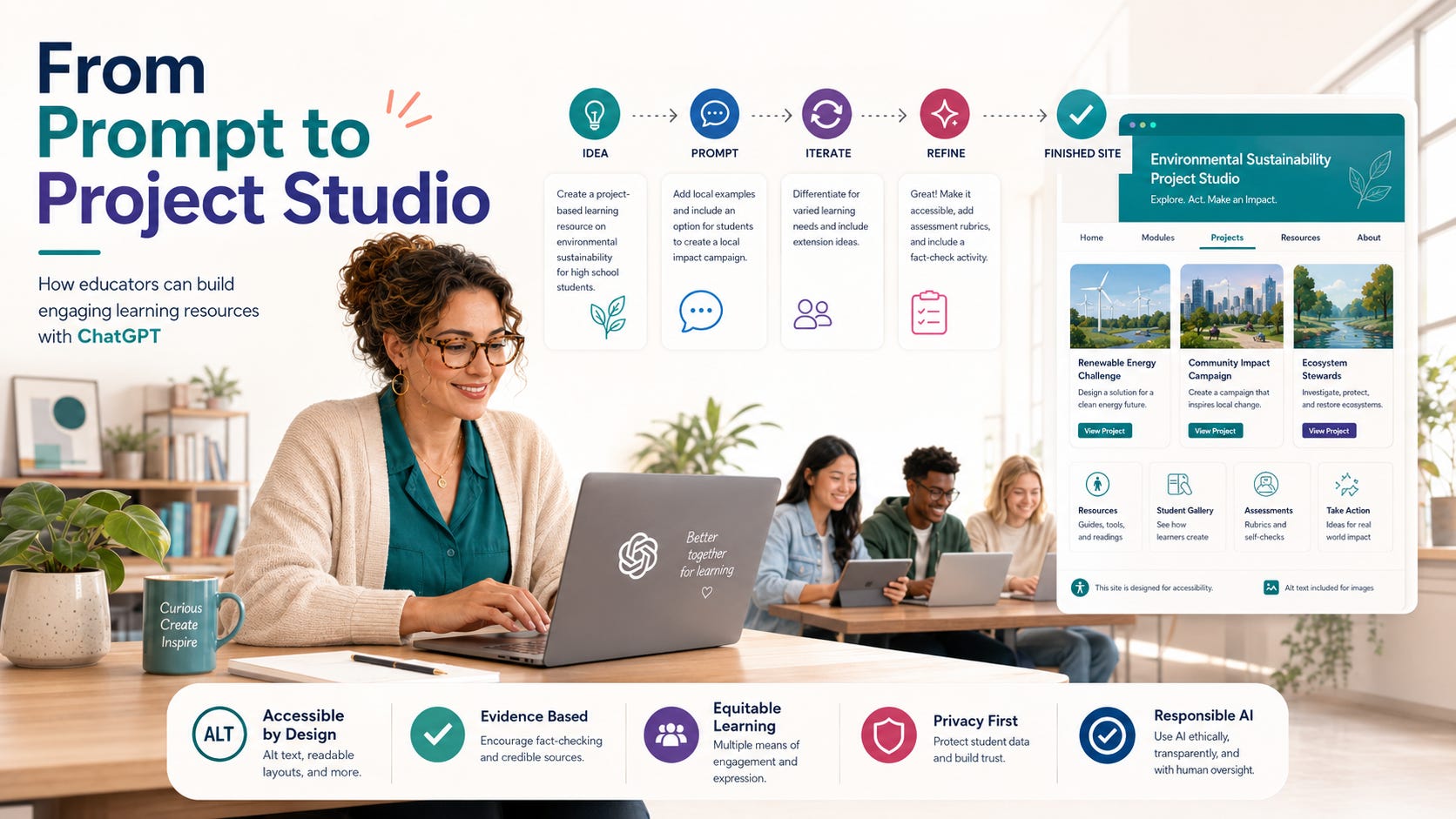
Nearly 200 people enrolled in ECIM 504: Introduction to AI for Everyday Life or joined its waitlist. Dr. Renah Wolzinger knew a standard course page wouldn’t be enough. Her students at Saddleback College’s Emeritus Institute needed a place that felt clear, useful, and easy to enter.
So she built the AI Project Studio with ChatGPT Work. The website gives adult learners a set of small projects they can use to try AI without needing to know where to begin.
A student might plan a trip, shape a family story, organize a week, explore music, research a topic, or find a way to help in the community. Every project comes with a starter prompt, a short set of steps, and a reminder to pause and check the work.
Building around the students
Dr. Wolzinger started with a plainspoken request:
Make me a site about suggested projects for my Emeritus students learning and using AI tools. I am teaching a new class, and it’s in high demand. I have 200 students signed up and on the waiting list. I want to make this a great, engaging resource for everyone.
Dr. Wolzinger also uploaded the syllabus and shared a general description of her students, so the website could reflect the actual course rather than a generic introduction to AI.
Between the prompt and the syllabus, ChatGPT had the basics:
Who the students were
What the site needed to help them do
Where the website fit in the course
How she wanted the experience to feel
The syllabus and other course material
ChatGPT used that material to sketch the first version. Dr. Wolzinger didn’t need to map every page before she started; she could look at a draft and decide what belonged.
Choosing the look and feel
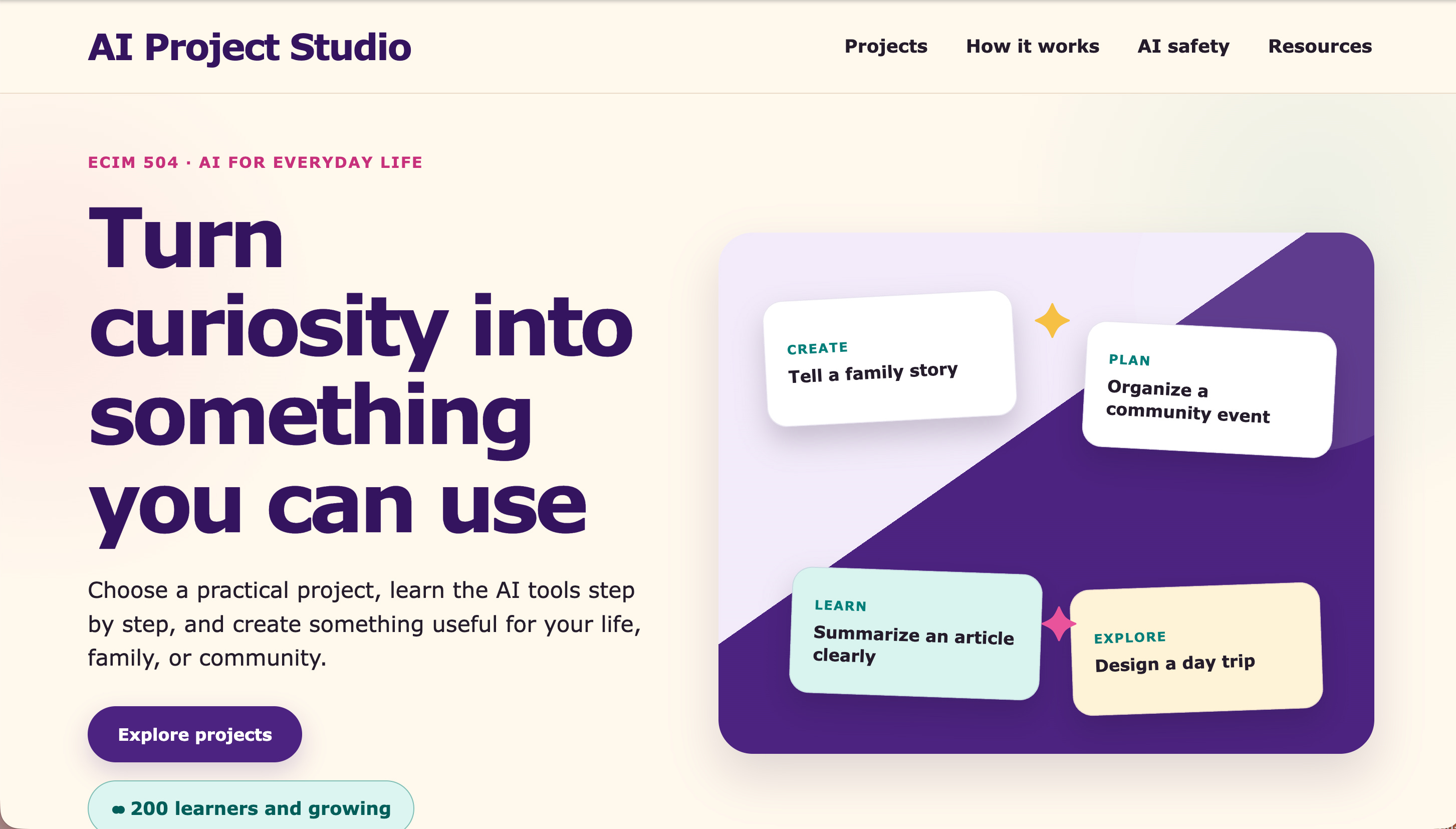
Before building the site, ChatGPT showed her a few visual directions. Dr. Wolzinger chose Warm Creative Studio. It felt right for a room of adult learners who would arrive with very different levels of comfort with technology.
The finished page has room to breathe. Projects are easy to scan, the language is plain, and the next step is always visible. At the top, students see a simple invitation: “Turn curiosity into something you can use.”
Making each project useful
Dr. Wolzinger kept returning to one question: What would a student be able to make here?
She used five questions to shape each project:
What will the student make?
Which tools might support the project?
What prompt could help the student begin?
What are the three basic steps?
What responsible AI question should the student consider?
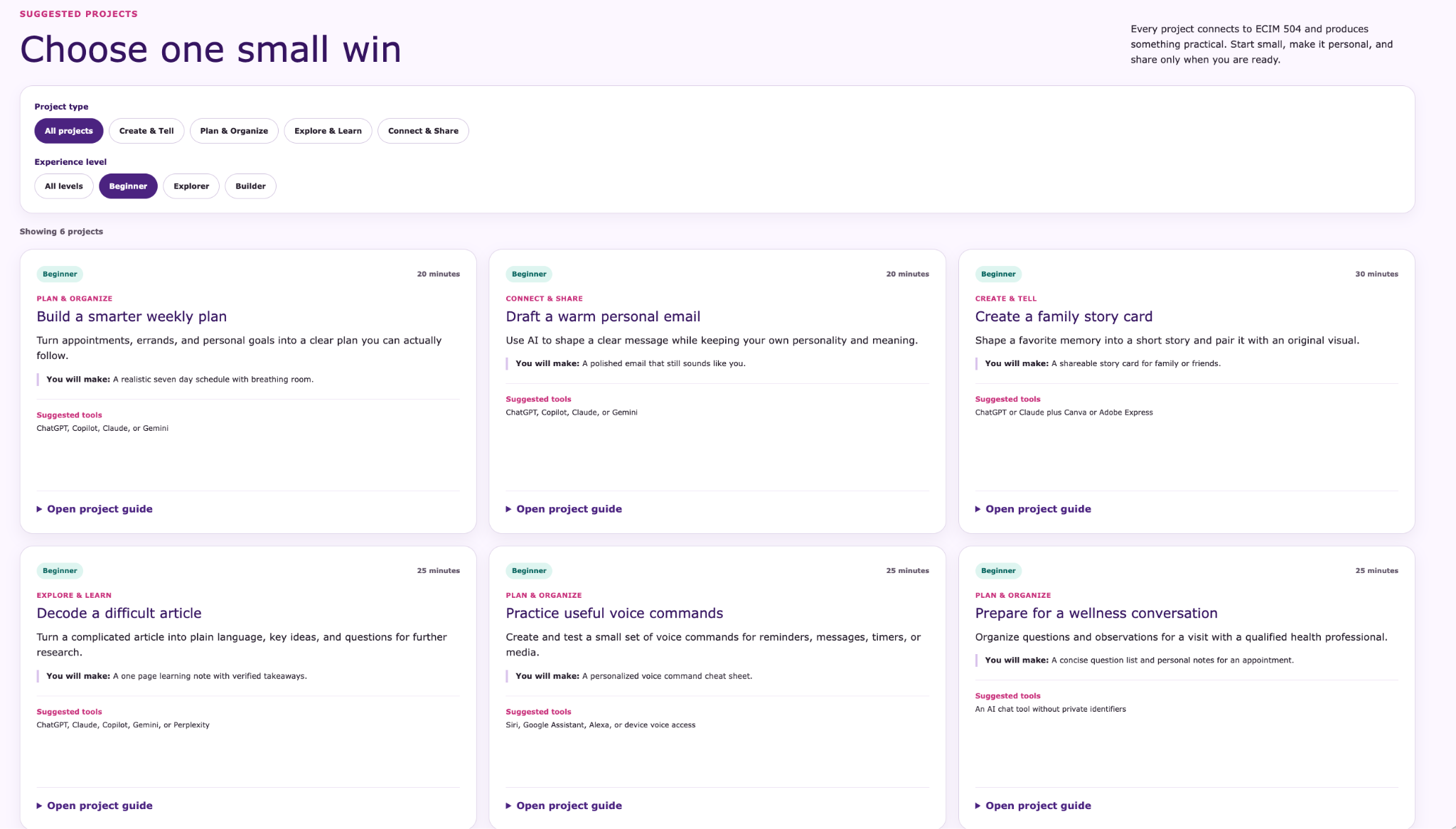
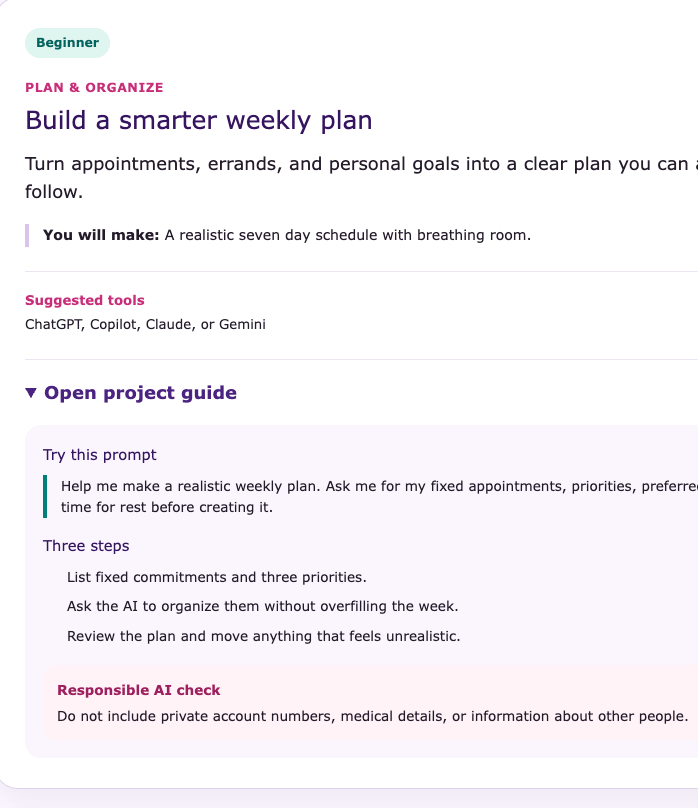
The weekly planning project, for instance, begins with this prompt:
Help me make a realistic weekly plan. Ask me for my fixed appointments, priorities, preferred pace, and time for rest before creating it.
Before students use it, the site reminds them to leave out account numbers, medical details, and other people’s information.
With those pieces in place, an idea becomes something a student can actually try in one sitting.
Keep what works
The first draft was useful, but its look felt more restrained than Dr. Wolzinger’s creative class. She asked for one change:
Let’s try adding more images to appeal to a more creative audience.
ChatGPT made several paper-collage illustrations. Dr. Wolzinger kept three, each tied to a project category:
Create and Tell
Plan and Organize
Explore and Learn
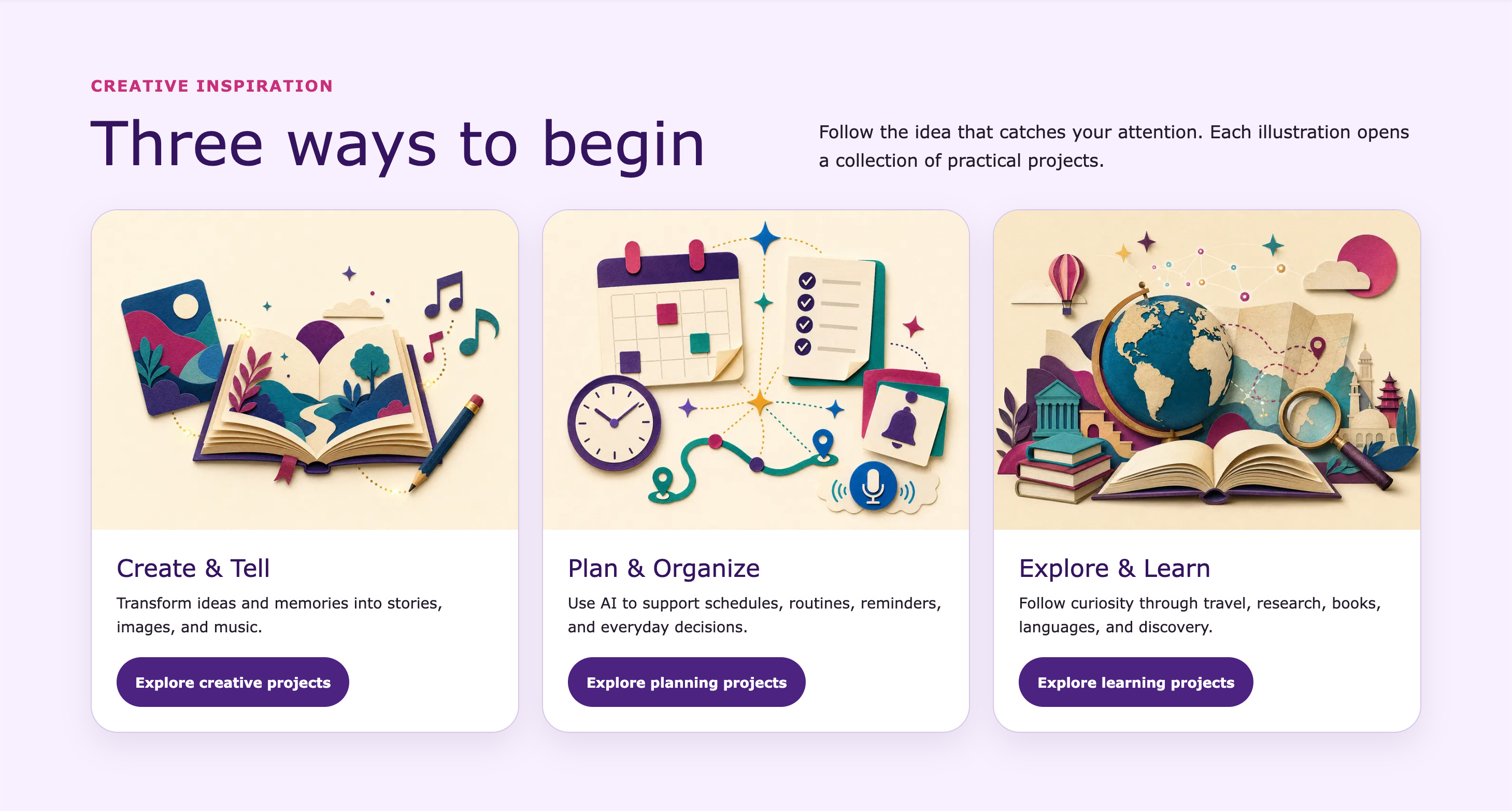
Books, music notes, calendars, maps, clocks, and travel landmarks make the categories easy to recognize. Each image also has alt text for visitors who use assistive technology.
The illustrations help students scan the page and find a place to start.
Dr. Wolzinger also gave ChatGPT a boundary: “Keep the current site.” She wanted the visuals to change, not the project cards, instructions, or safety guidance. That kind of direction matters in revision. It tells the tool what to leave alone.
Putting responsible AI in the work
Safety guidance sits inside the projects, close to the moment when a student will need it.
The reminders change with the task:
Confirm current hours and prices through official travel websites.
Ask permission before sharing another person’s story or likeness.
Avoid imitating living artists.
Verify claims against original sources.
Protect passwords, account details, and security codes.
Consult qualified professionals before making medical, legal, financial, or safety decisions.
The site groups those reminders in a short checklist called SAFE:
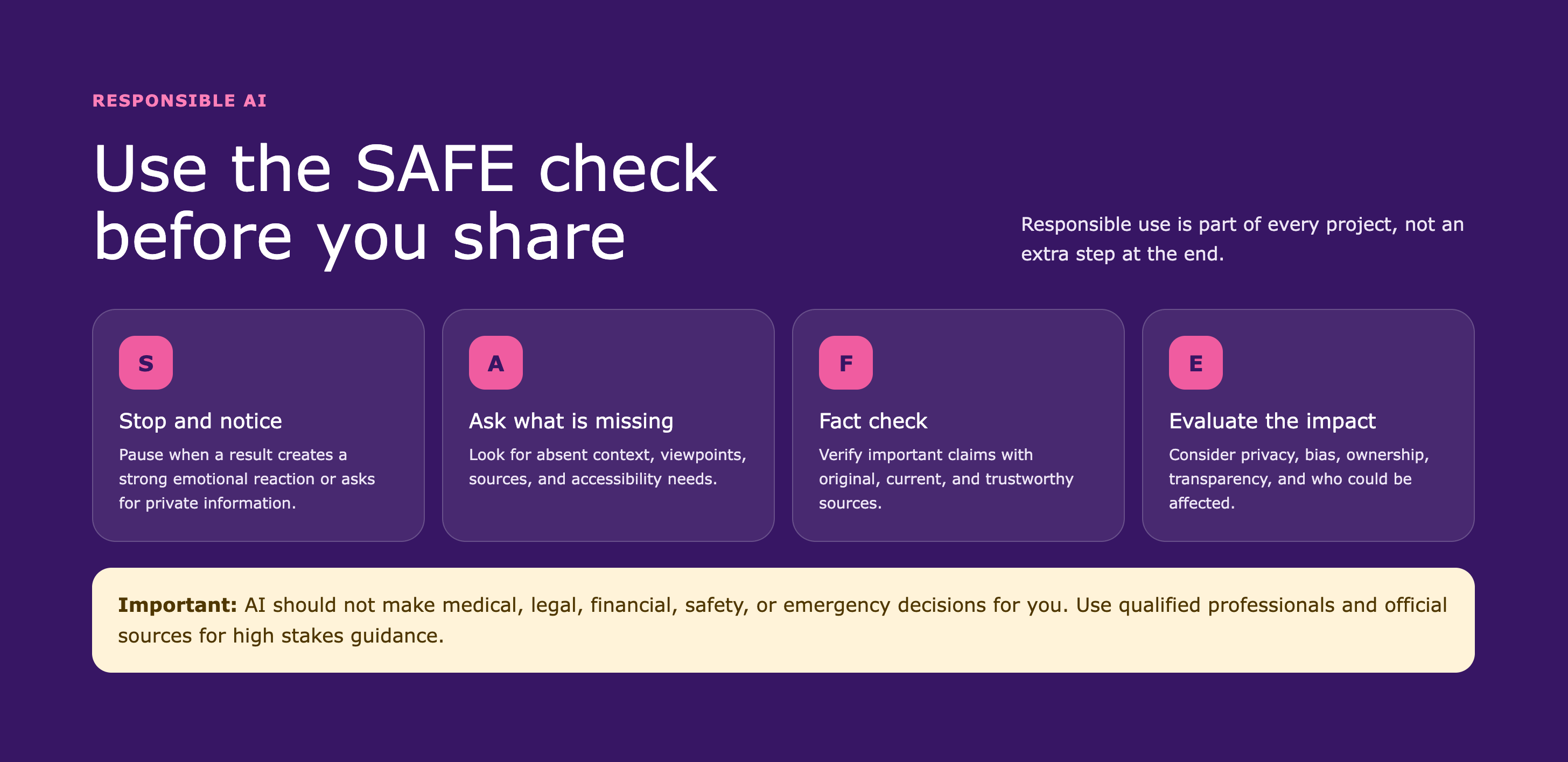
S — Stop and notice. Pause when a result creates a strong reaction or requests private information.
A — Ask what is missing. Look for missing context, perspectives, sources, and accessibility needs.
F — Fact-check. Verify important information with current, trustworthy primary sources.
E — Evaluate the impact. Consider privacy, bias, ownership, transparency, and who may be affected.
SAFE gives students a way to slow down and look again. Four questions are easier to carry from one project to the next than a long list of rules.
A simple rhythm for learning
Every project follows the same four steps:
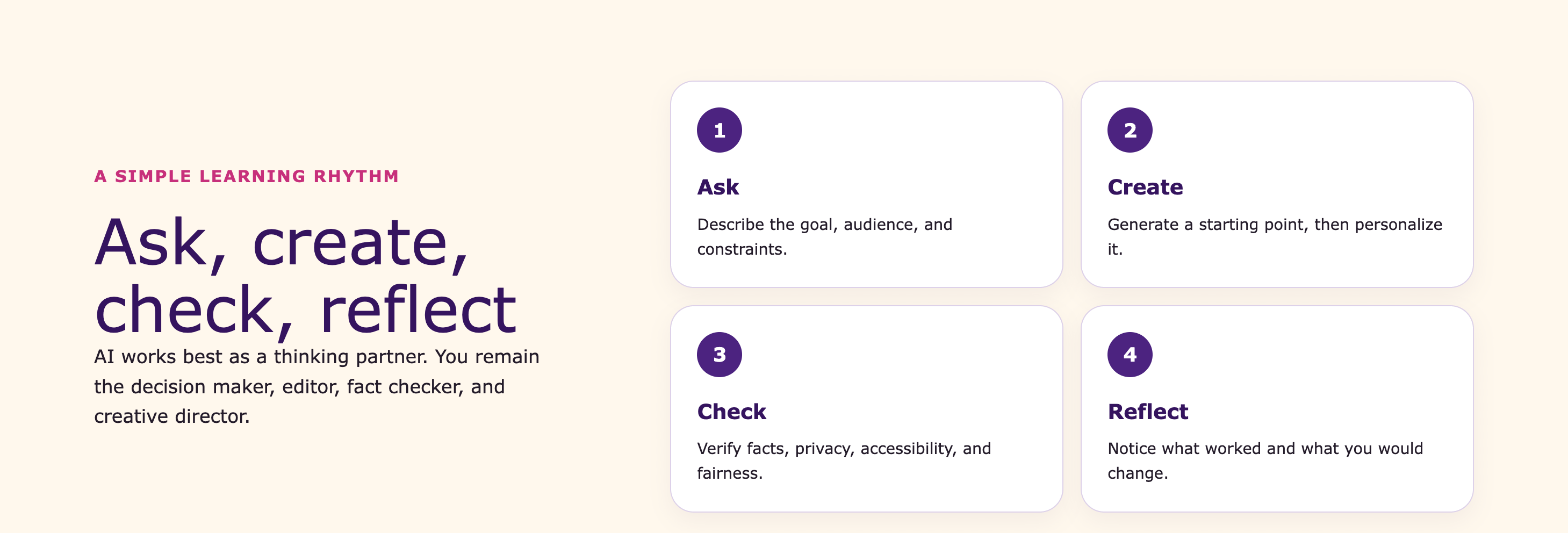
Ask. Describe the goal, audience, and constraints.
Create. Generate a starting point and personalize it.
Check. Review facts, privacy, accessibility, and fairness.
Reflect. Identify what worked, what changed, and what should be improved next time.
The pattern leaves room to experiment while keeping students in charge. They still decide what to keep, what to question, and what to change.
Prompts students can make their own
The starter prompts help students begin and then make the work their own.
Writing and Communication
Help me draft a warm and concise email. First ask who it is for, what I need to say, and what tone would fit.
Family Storytelling
Turn these notes into a warm 150-word family story. Preserve the facts, use plain language, and mark anything that needs verification.
Image Creation
Create an original cheerful illustration for a community celebration. Use high contrast, leave open space for a short heading, and do not imitate a living artist.
Research and Media Literacy
Explain this article in plain language. Separate the author’s claims from established facts and give me three questions to verify.
Reflection
Help me reflect on this AI-assisted project. Ask what I contributed, what the tool contributed, what I verified, and what I would change next time.
Most of these prompts ask for context before asking for an answer. Some call out uncertainty or tradeoffs; others ask students to reflect on what they contributed and what they would change.
How to build a version for your course
Dr. Wolzinger built the site in rounds. She brought the course materials, reviewed what ChatGPT made, and decided what to change next.
For an educator who wants to try the same approach, the work might look like this:
Describe the students first: what they know, what they need, and what might make them hesitate.
Share a syllabus or course outline. Real course material gives ChatGPT something solid to work from.
Ask for a rough first version and two or three visual directions.
Read the result as a student would. Is the path clear? Can someone finish an activity and leave with something useful?
Change one thing at a time—the steps, the tone, the images, or the safety guidance.
Keep the images that help students navigate. Write alt text for the ones that carry meaning.
Tell ChatGPT what not to change.
Try one project from beginning to end before sharing the site with students.
The first prompt gets the process moving. The real work comes in the revisions: keeping what works, naming what doesn’t, and asking for a specific change.
A prompt to get started
Here’s a starting prompt. Replace the brackets, then attach a syllabus or course outline if you have one:
Create an accessible and welcoming course website for my students. The course is called [course name], and the students are [describe the learners]. The purpose of the site is to help students [describe the learning goal]. Use the attached syllabus or course outline to suggest practical projects connected to the course outcomes.
For each project, include a title, a short description, what the student will create, a suggested AI prompt, three steps, recommended tools, an estimated completion time, an experience level, and a responsible AI reminder.
Use plain language, descriptive headings, strong contrast, readable typography, meaningful link text, and alternative text for important images. Make the experience encouraging rather than overly technical. Present several visual directions before building the final design.
After the first draft, a short follow-up prompt can be enough:
Keep the current structure while making the experience feel more creative and welcoming. Add meaningful illustrations that clarify the project categories, include descriptive alternative text, and preserve the existing accessibility and responsible AI features.
What Dr. Wolzinger made
The AI Project Studio reflects a series of choices by Dr. Wolzinger. She decided what would help her students start, what needed another pass, and which safeguards belonged beside each activity. ChatGPT Work helped her turn those decisions into a website. Her teaching judgment is visible throughout.
This fall, nearly 200 learners will arrive at a site built with them in mind. It gives them a clear first step, then room to experiment.
Bio
Dr. Renah Wolzinger is a professor, creative professional, and professional musician. For more than 20 years, she has taught and led programs in California’s community colleges. Her work focuses on practical, accessible, and responsible uses of AI in teaching, workforce education, and the creative arts. She is also the technical director at Eduvators and an active creative practitioner.

Comment
Right at the beginning of this school year, I had started thinking about a very similar project: creating a structured web space, not simply as a repository of resources, but as a real learning environment, with practical activities, prompts, tools, and guidance to help students develop a thoughtful and responsible approach to AI.
Renah Wolzinger’s project is really interesting and, above all, full of practical ideas and inspiration. I particularly like the idea of starting from students’ needs and turning each activity into something genuinely useful, while also paying close attention to fact-checking, privacy, accessibility, and the responsible use of AI.
It is definitely an excellent example to draw inspiration from as I continue developing a similar project in my own educational context.
I love this idea! I’ll be looking further into this.